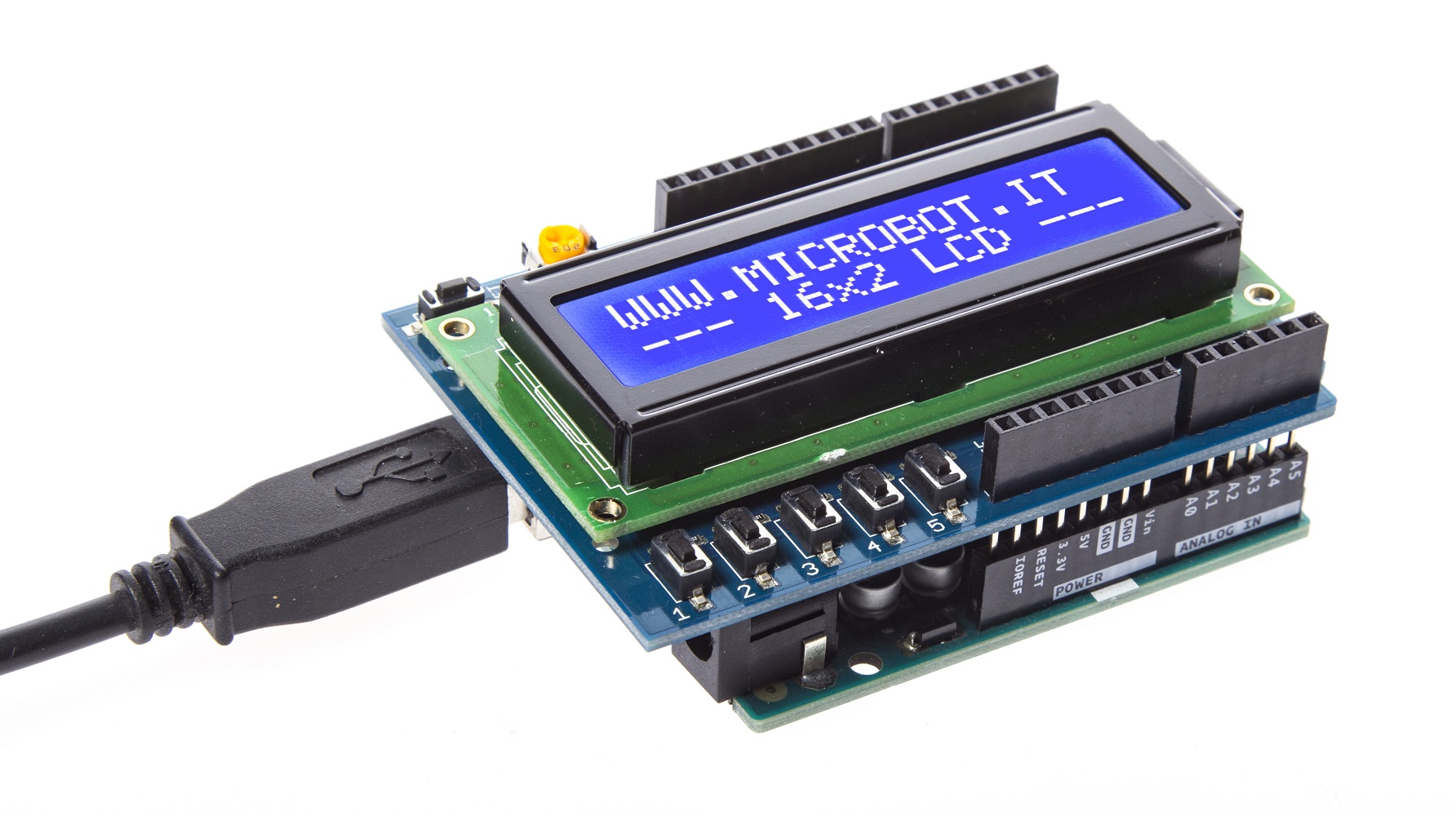
Display Shield
Category: shield
₦5000.00
The Display Shield is an add-on module for Arduino boards that provides an integrated display interface, allowing easy visualization of data, menus, and sensor outputs for electronics and IoT projects.
Key Features
Compatible with Arduino UNO, Mega, and other boards
Integrated LCD or OLED display (depending on variant)
Supports menu systems and real-time data visualization
Plug-and-play stackable shield design
Easy connection to sensors, buttons, and Arduino pins
Ideal for DIY electronics, IoT projects, and robotics
Supports Arduino IDE libraries for quick programming
Detailed Description
The Display Shield is designed to make electronics projects more interactive and visually informative. By simply stacking it on top of an Arduino board, users can immediately output text, numbers, or custom graphics from their programs.
This shield often comes with built-in buttons or touch interfaces, allowing for user input and menu navigation. It is widely used in data logging, sensor monitoring, robotics control panels, and educational projects.
With support for standard Arduino libraries, the Display Shield reduces wiring complexity and programming time, making it suitable for beginners, hobbyists, and professional developers alike.
Technical Specifications
Shield Type: Display Shield (LCD / OLED)
Compatible Boards: Arduino UNO, Mega, Nano (via adapters)
Display Type: 16×2 LCD or 0.96" OLED (depends on variant)
Interface: I2C or direct Arduino pins
Operating Voltage: 5V DC
Buttons / Inputs: Optional 5–6 buttons for menu navigation
Libraries Supported: LiquidCrystal, U8G2, Adafruit libraries
Mounting: Stackable Arduino shield
What’s in the Box
1 × Display Shield
1 × User guide / documentation (optional)
Ideal For
Arduino-based projects with display output
Sensor monitoring and data logging
Robotics dashboards and control panels
Educational kits and electronics learning
DIY and hobby electronics projects
Important Note
Ensure the shield is compatible with your Arduino model before use. If using I2C-based displays, check the address settings in your code. Avoid exceeding 5V input to prevent damage to the module.